v0.2.0 is the “be more deliberate” release. The biggest behavior change: vendor outbound is no longer automatic on ticket creation. The rest of the release tightens the workflow chain and adds the per-user preferences that keep the app livable.
Notify Vendor is now a deliberate click
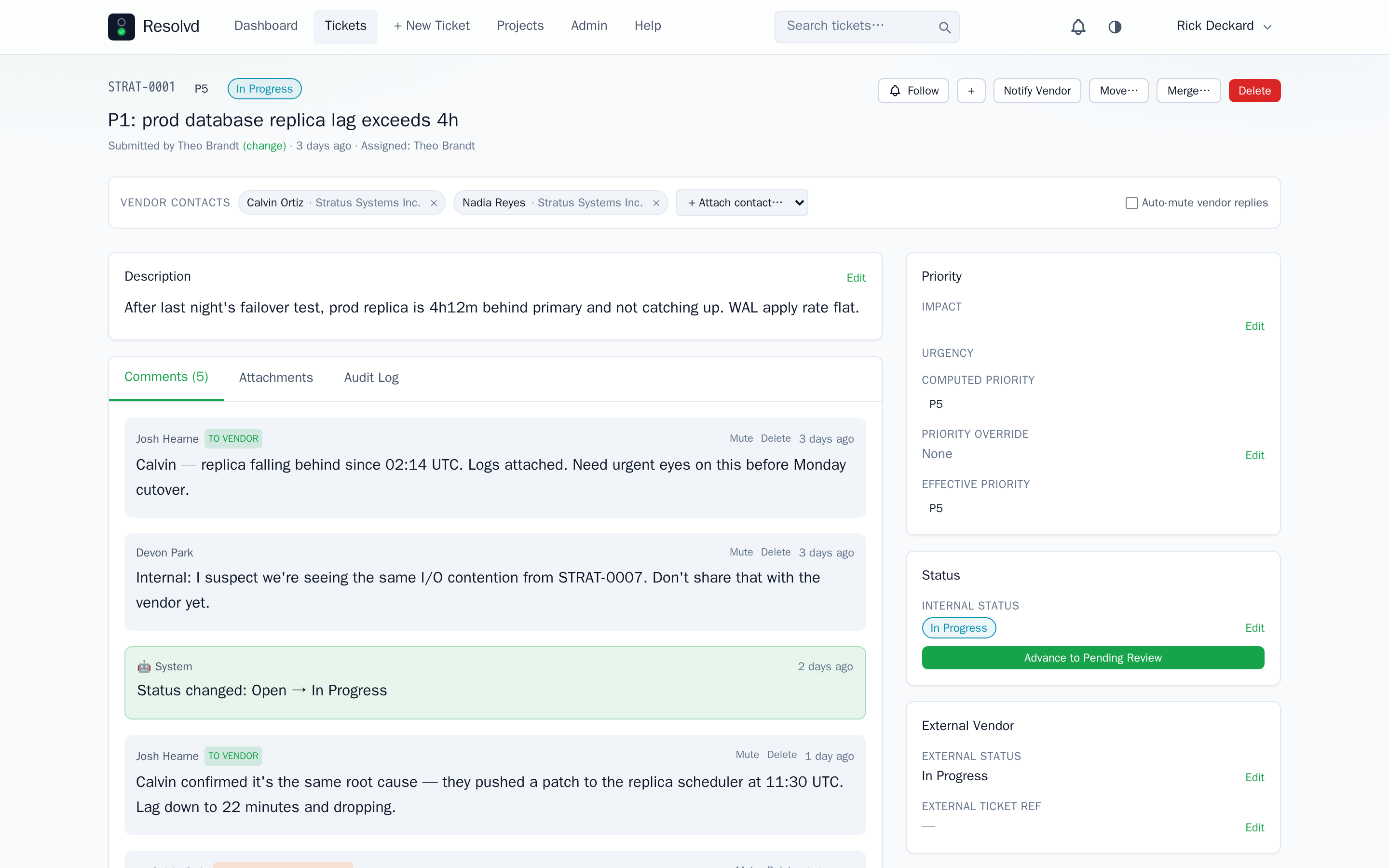
The new_ticket vendor email no longer fires automatically when a ticket gets created. An Admin or Manager has to click the Notify Vendor button on the ticket detail page to send the initial outbound. Status-change and resolved updates only fire after that first vendor outbound succeeds — tickets.vendor_notified_at is the gate.
This gives staff a chance to review a ticket before contacting the vendor. The Send-As prompt also lands in this release: when notifying or sending a vendor-visible comment, pick Send as me or Send as submitter (when the ticket has a different submitter). The acting human’s name lands in the email’s display name; vendor outbound stops looking like it came out of nowhere.
Image attachments on the ticket are included on new_ticket and new_comment events. Status-change and resolved emails send body-text only — keeps the inbox light when a ticket churns through several states (Graph, SMTP, and Gmail backends all supported).
How to use: Open a ticket → Notify Vendor button → pick a Send-As variant → fire. Subsequent status changes auto-notify if the company’s prefs say so.
Resolved-state workflow
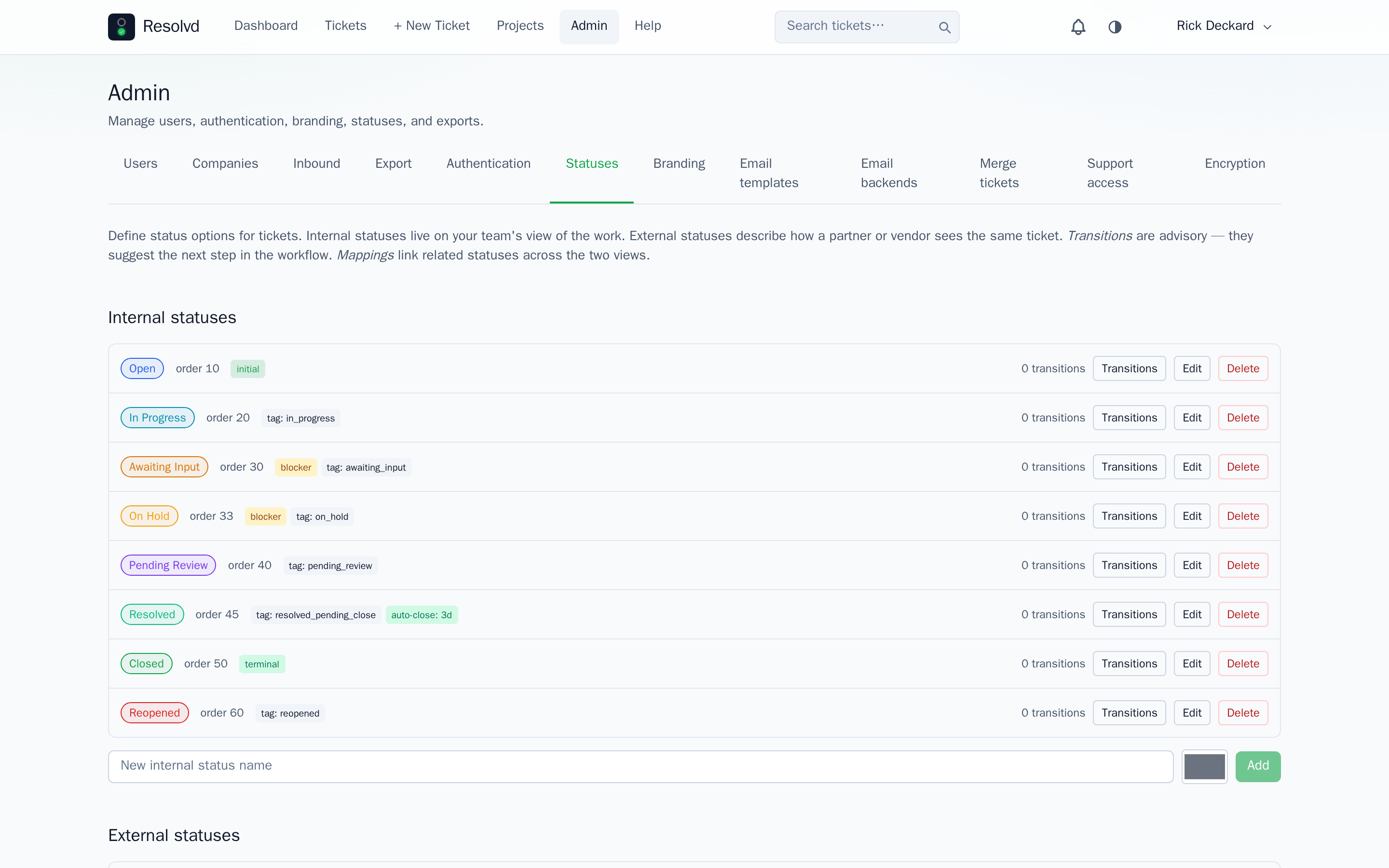
Internal statuses now ship with semantic tags that drive workflow logic — admins can rename status names freely without breaking behavior. The resolved_pending_close tag carries an auto_close_after_days value (default 3, edited per status under Admin → Statuses). Tickets sitting in such a status past the grace period get promoted to the kind’s terminal status by an hourly cron, with an audit row.
Inbound email replies during the grace window, and web UI comments on any terminal ticket, auto-reopen the ticket unless the body matches the editable gratitude phrase list (also under Admin → Statuses). “Thanks” → leave alone. Anything substantive → flip to Reopened. Auto-reopens fire a ticket_reopened vendor outbound if the ticket has previously-contacted attached contacts.
The awaiting_input semantic tag lands too, marking external blocks (waiting on vendor / customer) as distinct from internal on_hold.
How to use: Admin → Statuses → set auto_close_after_days on any resolved_pending_close-tagged status. Edit the gratitude phrase list inline.
Ticket admin tools
Admin / Manager get a small toolbox on the ticket detail page:
- Submit on behalf — pick a different submitter at creation time, or change the submitter on an existing ticket.
- Manage followers — popover next to the Follow button (audited).
- Move ticket between projects — re-issues
internal_reffrom the new project’s counter; vendor contacts detach (vendor scope is project-bound). - Inline title edit — anyone with edit access (Admin / Manager / Submitter) can rename a ticket from its header.
- Per-project default assignee — Admin / Manager picks a default per project; new tickets in that project auto-assign to the chosen user when the creator doesn’t pick one.
A new Admin → Comment delete option lets admins delete any comment from a thread (audited).
How to use: All from the ticket detail header / sidebar, or Admin → Projects for the default-assignee config.

User preferences + hybrid dates + email-on-assignment
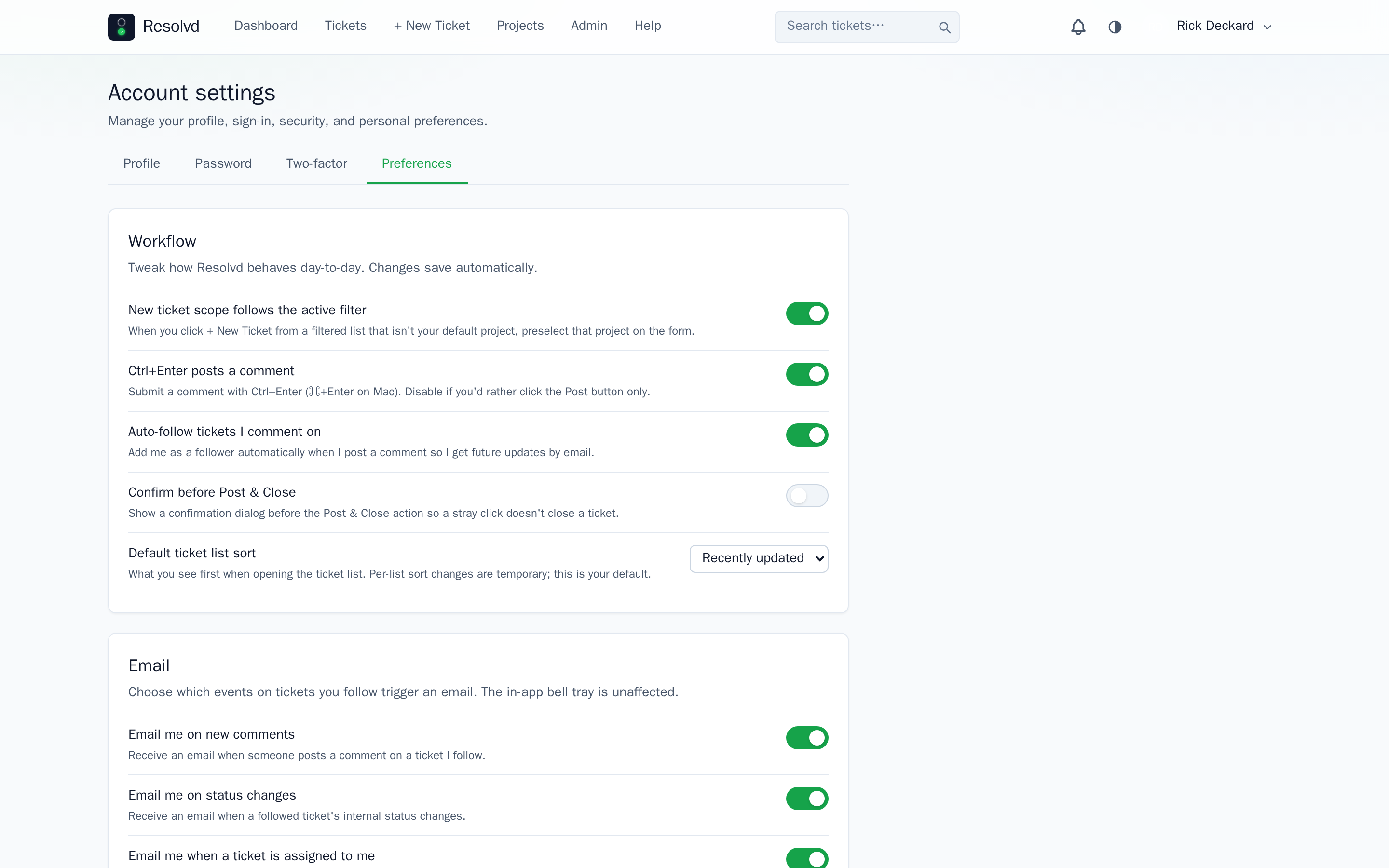
Per-user toggles land in users.preferences JSONB, exposed via /api/users/me/prefs. Ten initial knobs covering Ctrl+Enter to post, auto-follow on comment, confirm-before-close, default ticket sort, and email channels (email_on_comment, email_on_status_change, email_on_assignment). Email-on-assignment is the new one — fires on PATCH when assigned_to changes, gated by recipient pref.
Date rendering switches to hybrid: relative when <7 days, absolute after — picks up org-wide date / time style + IANA timezone from Admin → Branding → Localization. Reports always render absolute timestamps regardless.
How to use: Account Settings → Preferences for per-user toggles. Admin → Branding → Localization for org defaults.
@mentions, CC intake, naming cleanup
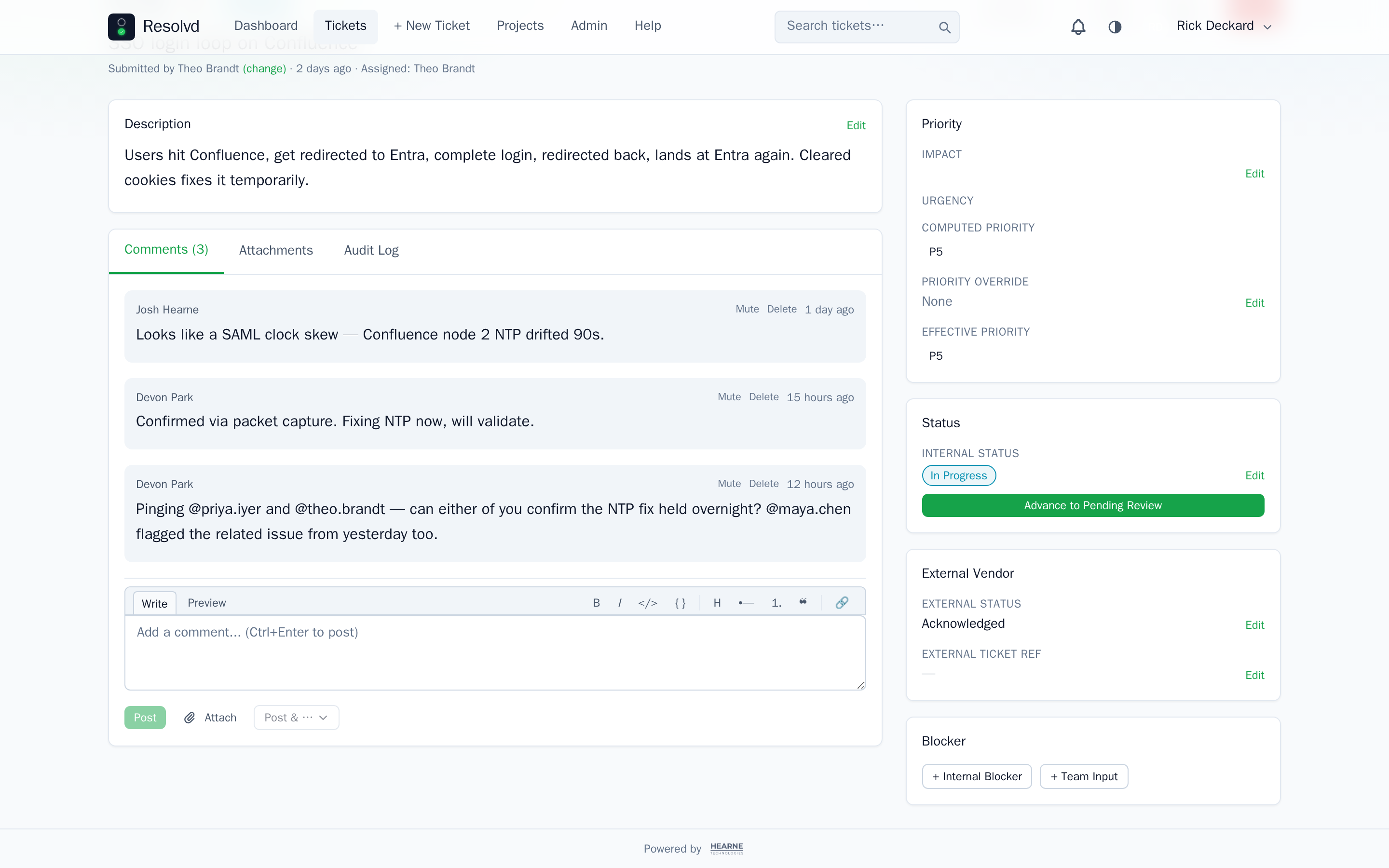
Comment bodies parse @email, @local-part, and @first.last tokens, resolving to active users. Mentioned users auto-follow, get an in-app notification + email (gated by email_on_comment). No autocomplete UI yet — that lands in v0.3.0.
CC intake on inbound mail: addresses matching active vendor contacts in the project auto-attach to the ticket. Unknowns are recorded on the queue row’s reject_reason: unknown_cc:... for admin curation.
This release also finishes the rebrand cleanup: DB columns and code rename mot_* → internal_*, coastal_* → external_*, punchlist → resolvd. Operators upgrading from a pre-v0.1.0 internal build should mind the migration path.
CSV export adds an image-toggle and drops the auto-print-from-preview behavior. PrintExport now forwards the same filter set (external_statuses, status_logic, company_ids) the rest of the export endpoints use.
How to use: Type @first.last in any comment box. CC intake is automatic for matched contacts.
Full changelog
v0.2.0 on GitHub has the complete commit list. This post covers the headline features; smaller wins (notification tray, vendor outbound image attachments, Graph header trimming, attachment / audit / follower load isolation) live in the changelog.