v0.4.0 is the email-and-vendor release. Most of what landed makes the path from a vendor’s inbox to a closed Resolvd ticket shorter, cleaner, and harder to spoof.
Helpdesk inbox routing
Before this release, every inbound message had to carry #PREFIX in the subject for auto-create to work. Anything else dropped into the manual-match queue. That’s fine for engineering teams with project discipline, but useless for a support@yourcompany.com mailbox where customers will never type a project prefix.
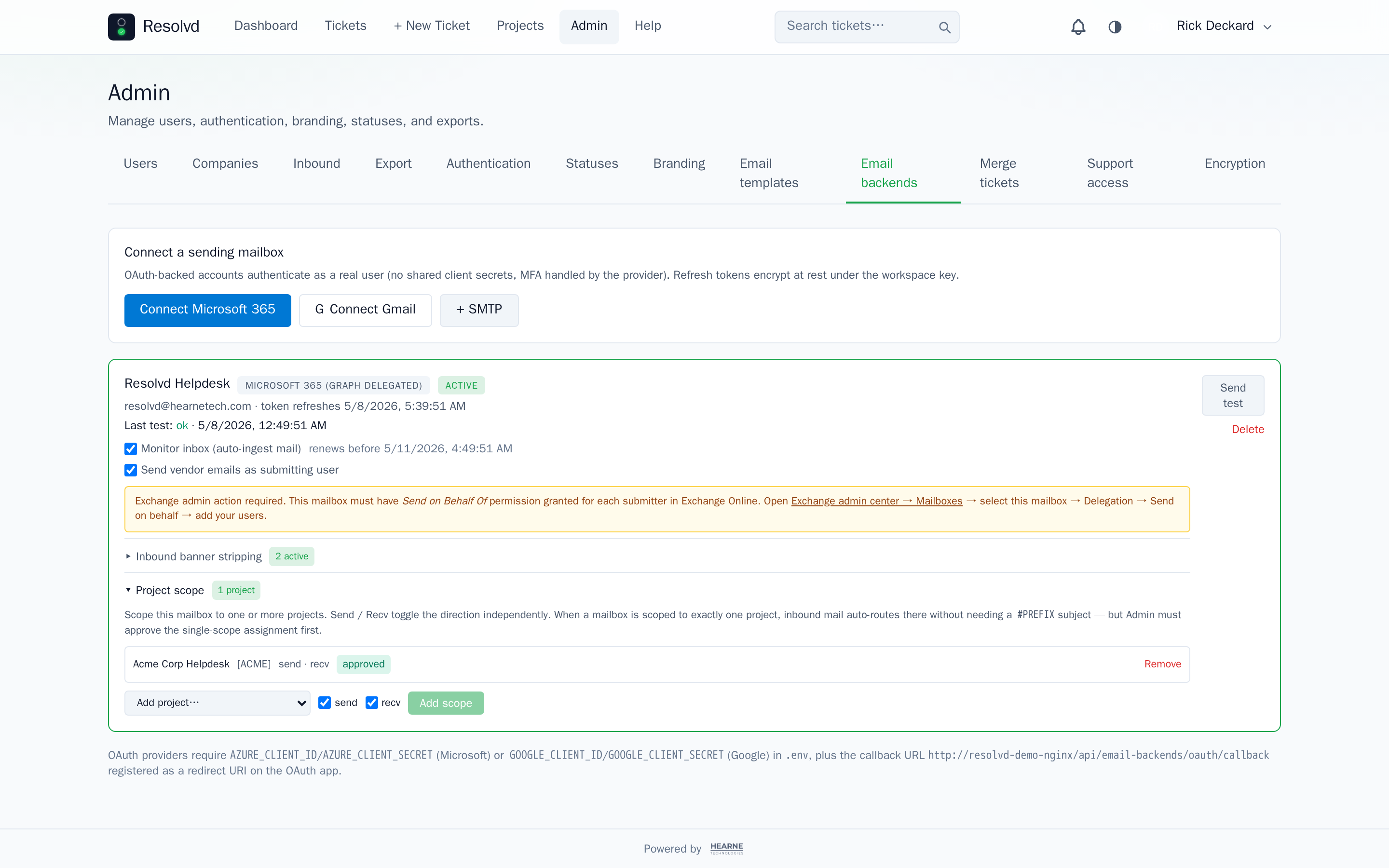
v0.4.0 adds many-to-many scoping: connect a mailbox under Admin → Email backends, then scope it to one or more projects with per-direction toggles (send, recv). When a mailbox is scoped to exactly one project and that scope is approved, inbound mail without #PREFIX auto-creates tickets there. One mailbox, one queue. Outbound resolution prefers a scoped send_enabled account for a given project before falling through to the global active mailbox.
Because single-project scope is high-power config, Manager-created scopes fire an Admin approval notification — auto-routing stays inert until an Admin ticks the box.
The same release rewrites project member management as a multi-select with search and “Select all” (capped at 500/call), and adds an auto_add_new_users per-project toggle so SSO-first-login and invite-acceptance both fan out into your designated org-wide projects without per-user clicks.
How to use: Admin → Email backends → {account} → Project scope. Add a single project, wait for Admin approval if you’re a Manager, and any unprefixed inbound to that mailbox lands as a ticket in the scoped project.
Search-driven ticket merge
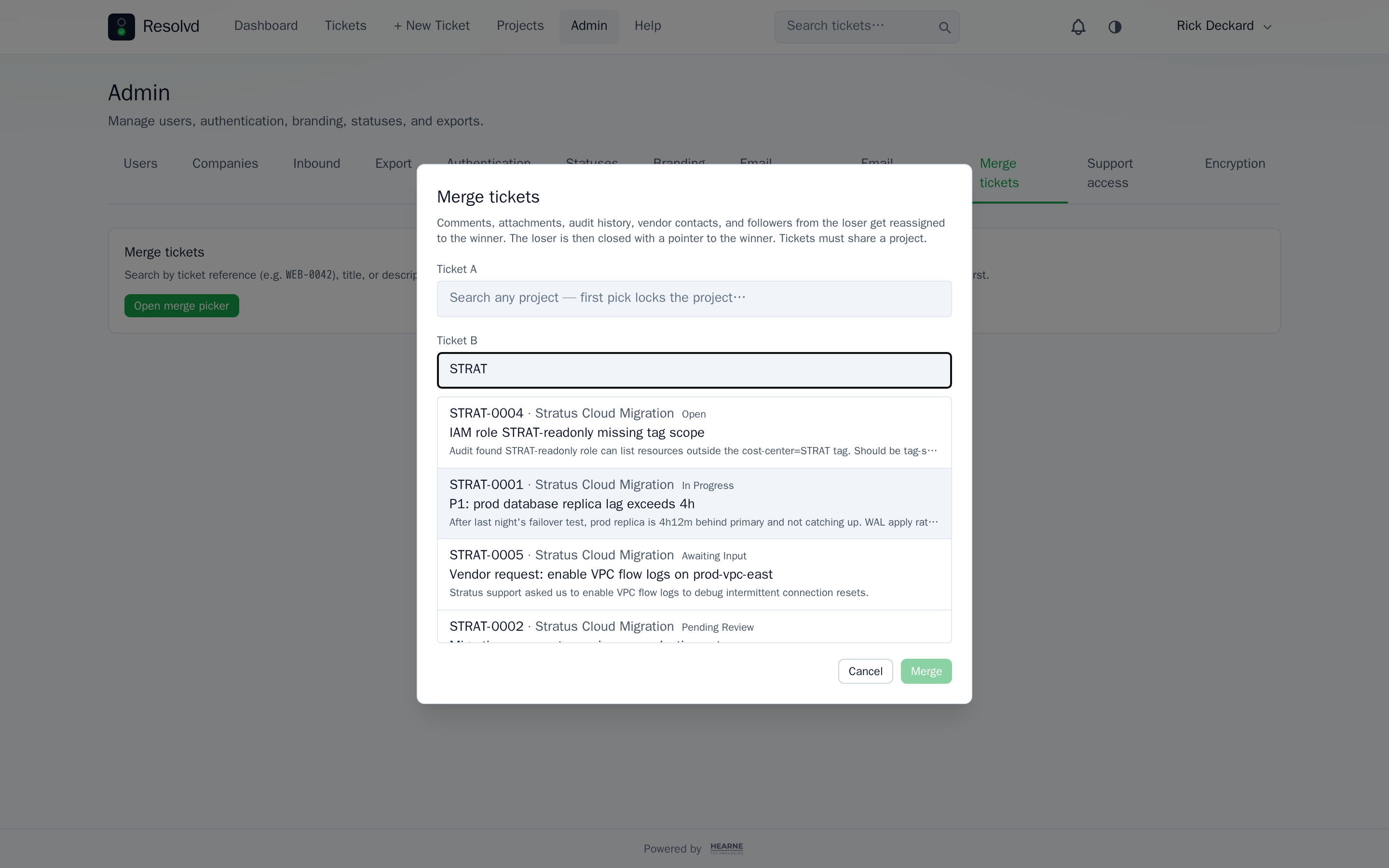
The old merge dialog asked you to type numeric IDs and remember which ticket was the winner. The replacement (<MergePicker>) gives you two slots A/B with typeahead by ref, title, or description against the existing GET /api/tickets. Project locks to the first picked ticket; the second slot’s results filter to that project. A “Swap winner ⇄” toggle picks direction post-selection — admins no longer have to open the loser ticket first.
Inline merge stays available from the ticket detail page (current ticket pre-fills as one side, you pick the partner). Standalone merge moves to Admin → Merge tickets with both slots empty for clean two-side picking.
Comments, attachments, audit history, vendor contacts, and followers all reassign to the winner; the loser closes with a pointer.
How to use: Admin → Merge tickets, or click the merge action on any ticket detail page. Search either slot by ref, title, or description.
Reply-above-this-line marker + banner stripping
Vendor-visible outbound now prepends a visible --- Type your reply above this line — ticket {ref} --- divider. The inbound parser cuts at the marker so quoted history, mail-client headers, and signatures drop automatically — vendor replies thread back as exactly what was typed.
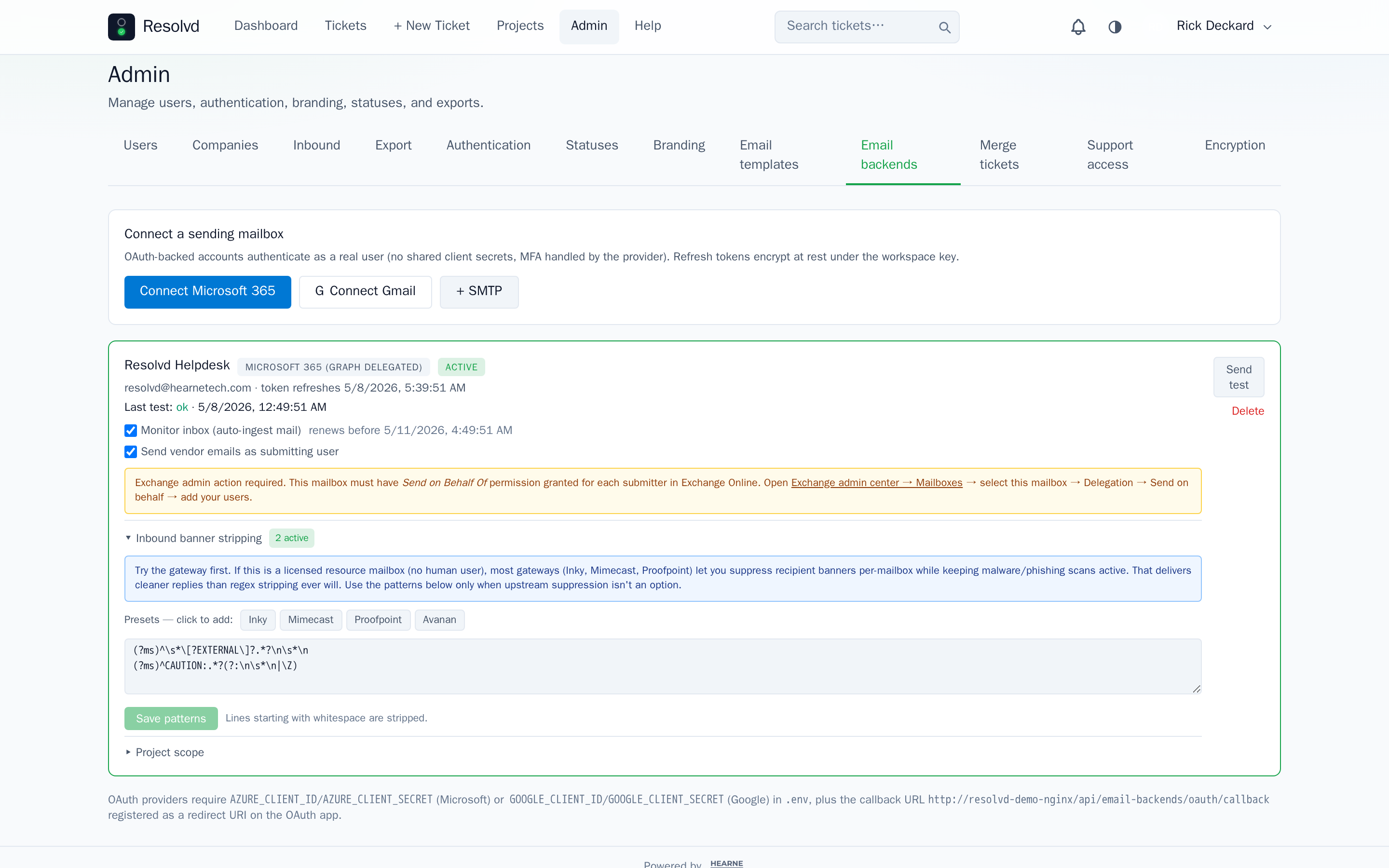
Per-account banner-strip patterns clean up the recipient banners that mail-security gateways inject above replies. Resolvd ships preset buttons for Inky, Mimecast, Proofpoint, and Avanan; bring your own regex for anything else. Patterns validate as RegExp on save and apply case-insensitive multi-line.
Honest pointer in the UI: if your inbox is a licensed resource mailbox, most gateways let you suppress recipient banners per-mailbox while keeping malware / phishing scans active. That’s cleaner than regex stripping. The presets exist for the rest.
How to use: Outbound marker is automatic on every vendor-visible comment. For banner stripping: Admin → Email backends → {account} → Inbound banner stripping → click a preset or paste a custom pattern.
Vendor outbound that doesn’t spoof
The old behaviour swapped the From address to the acting human’s email so vendor replies looked personal. That breaks under anti-spoof gateways (Inky VIP, Mimecast Impersonation Protect, Proofpoint) which override or quarantine messages whose From doesn’t match the connected mailbox.
v0.4.0 flips the default. The From address is always the connected mailbox (e.g. resolvd@resolvd.dev). The acting human rides as the display name in the Actor via SiteName convention — "John Doe via Resolvd" <resolvd@…>. Anti-spoof gateways recognize via as legitimate proxied mail and don’t override the display name with a directory match. No Exchange “Send As” permission required.
Reply-To defaults to the connected mailbox so replies always loop back to the system. The useSubmitter / submitterEmail substitution path is gone.
How to use: Nothing to configure — every vendor-visible comment and Notify Vendor click uses the new identity convention by default. Old “spoof as user” behaviour is removed.
Per-vendor pill colors + reply attribution
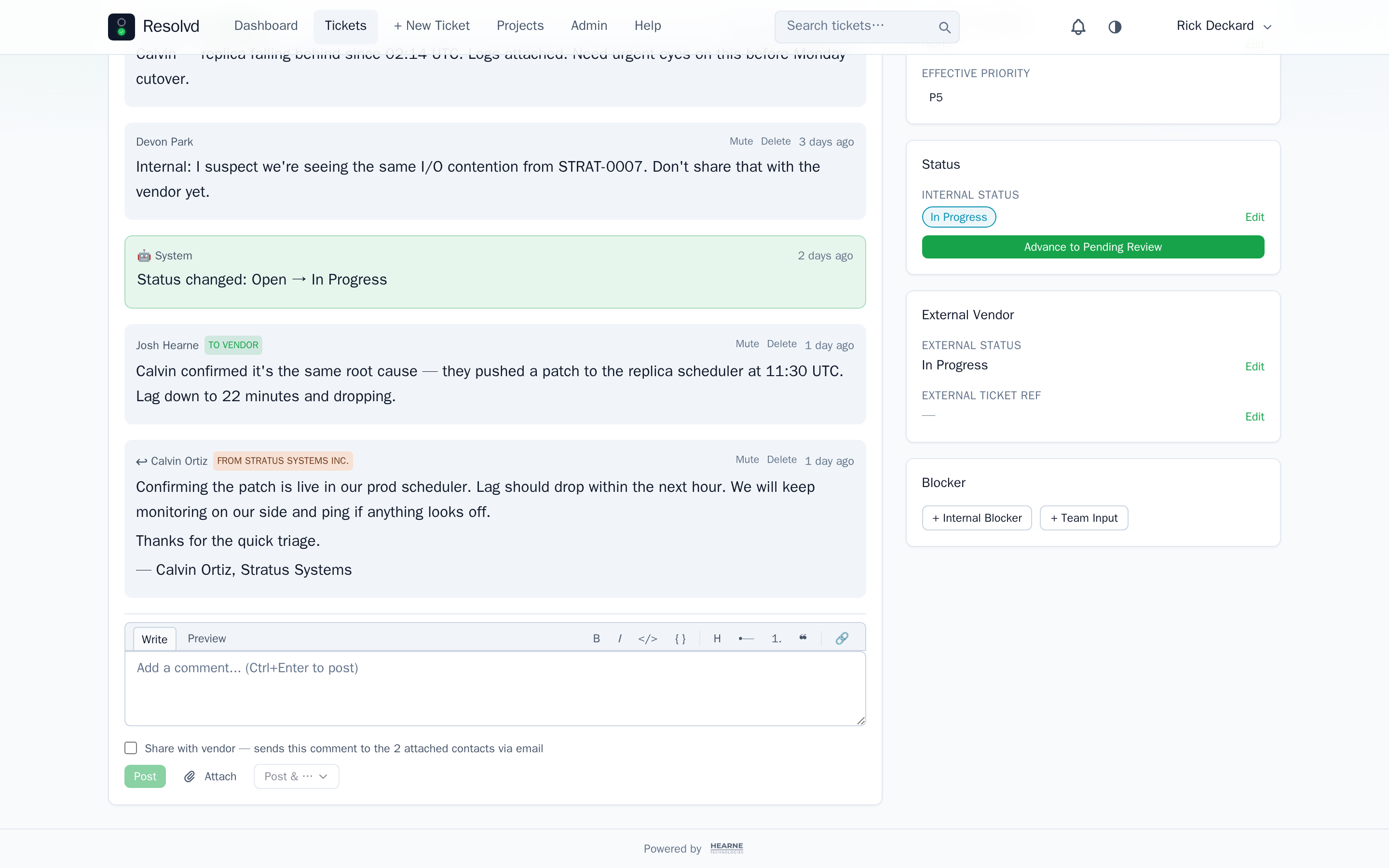
A long-standing bug stamped vendor replies with the wrong attribution — they rendered as “to vendor” instead of “from vendor”. tryAutoReply now stamps comments.vendor_contact_id on the appended comment, and the comments GET joins contacts / companies to surface vendor_company_id / vendor_company_name.
On top of the fix, vendor replies get a per-vendor pill color: a FROM {company} pill in a deterministic per-vendor hue hashed from the company id. Same vendor, same color across users, sessions, and renders. Hue spread is theme-aware (pastel + dark text on light, muted dark + light text on dark) so multiple vendors on one ticket stay readable. The “TO VENDOR” pill stays brand-colored.
How to use: Automatic. Attach contacts to tickets as before; replies match on email and inherit the company’s deterministic color.
Cross-project visibility controls
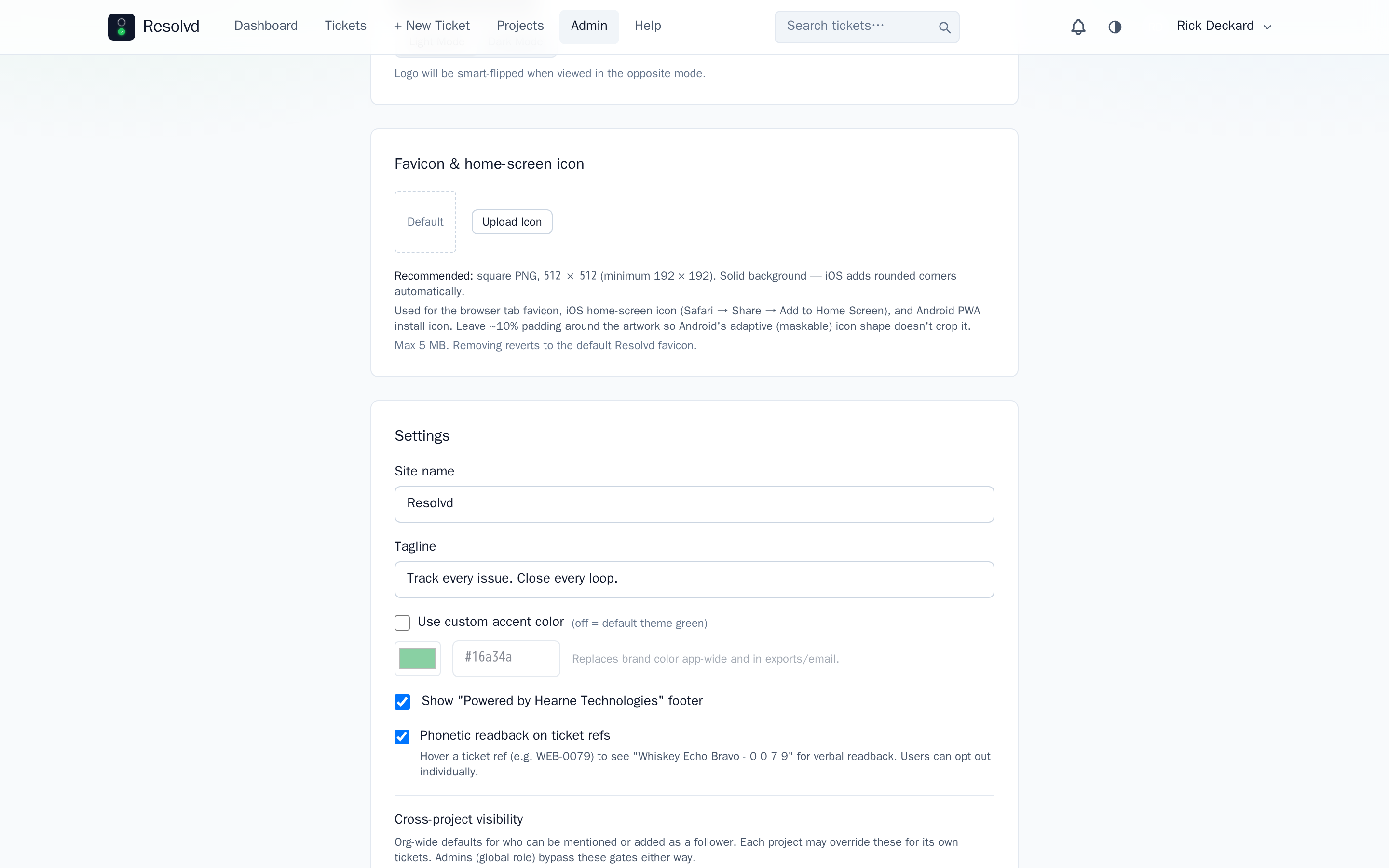
Per-project tri-state (Inherit / Restrict / Open) on @mention resolution and the follower picker, with org-wide defaults in Admin → Branding. Backend resolves the effective flag (project override → branding default), enforced in the followers POST, the user search route, and services/mentions.js resolveMentions. The mentions service is now project-scoped — closes a leak where typed @mentions resolved system-wide regardless of the recipient’s project membership.
Admins (global role) bypass these gates.
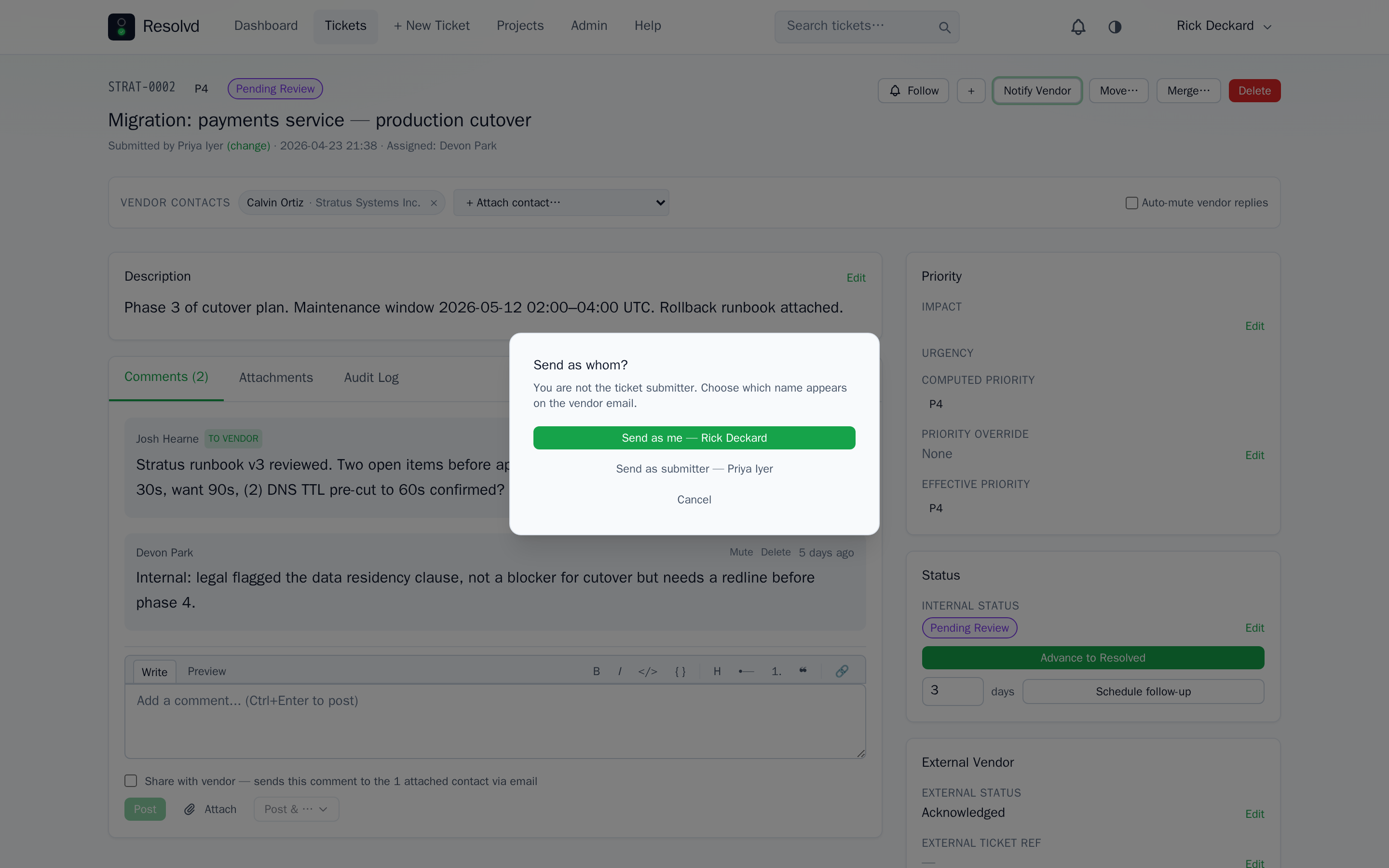
For tickets with no submitted_by (e.g. imported tickets), the Send As modal now offers Send as (pick any project member as a one-off identity) or Submit as (backfill ticket.submitted_by, then send under that name). Reduces vendor mail going out under the MAIL_FROM fallback.
How to use: Admin → Branding sets org defaults. Per-project override in the project settings panel. Send-As variants surface automatically when an Admin/Manager sends a vendor-visible comment on a ticket missing a submitter.
Full changelog
v0.4.0 on GitHub has the complete commit list. This post covers the headline features; smaller wins live in the changelog.